frepple-data-admin
latest
  • Getting started
  • User guide
    • Logging in and logging out
    • Home screen
    • Changing your password
    • Navigation
    • Data maintenance
    • Filtering data
    • Sorting data
    • Favorites
    • Selecting time buckets
    • Exporting data
    • Data source URL
    • Importing data
    • Customizing a report
    • User preferences
    • User permissions and roles
    • Messages
    • Inbox
    • Tasks
    • Execution screen
    • What-if scenarios
  • Integration guide
  • Developer guide
  • Release notes
frepple-data-admin
  • »
  • User guide »
  • Navigation
  • Edit on GitHub

Navigation

Navigating the user interface is easy and intuitive.

  • Menu bar
    Doesn’t need explanation…
    Screens to which you have no permissions will not be shown in the menu.
  • Jump search
    Enter 2 or more characters in the search box, and a list of matching objects is shown to you.
  • Breadcrumbs
    The breadcrumbs allow you to navigate with a single click to a screen you visited before.
  • Detail links
    The modelling objects have an triangular icon next to them. Clicking on it will open a screen with a selection of detailed reports on the object.

The screenshot below illustrates each of these methods.
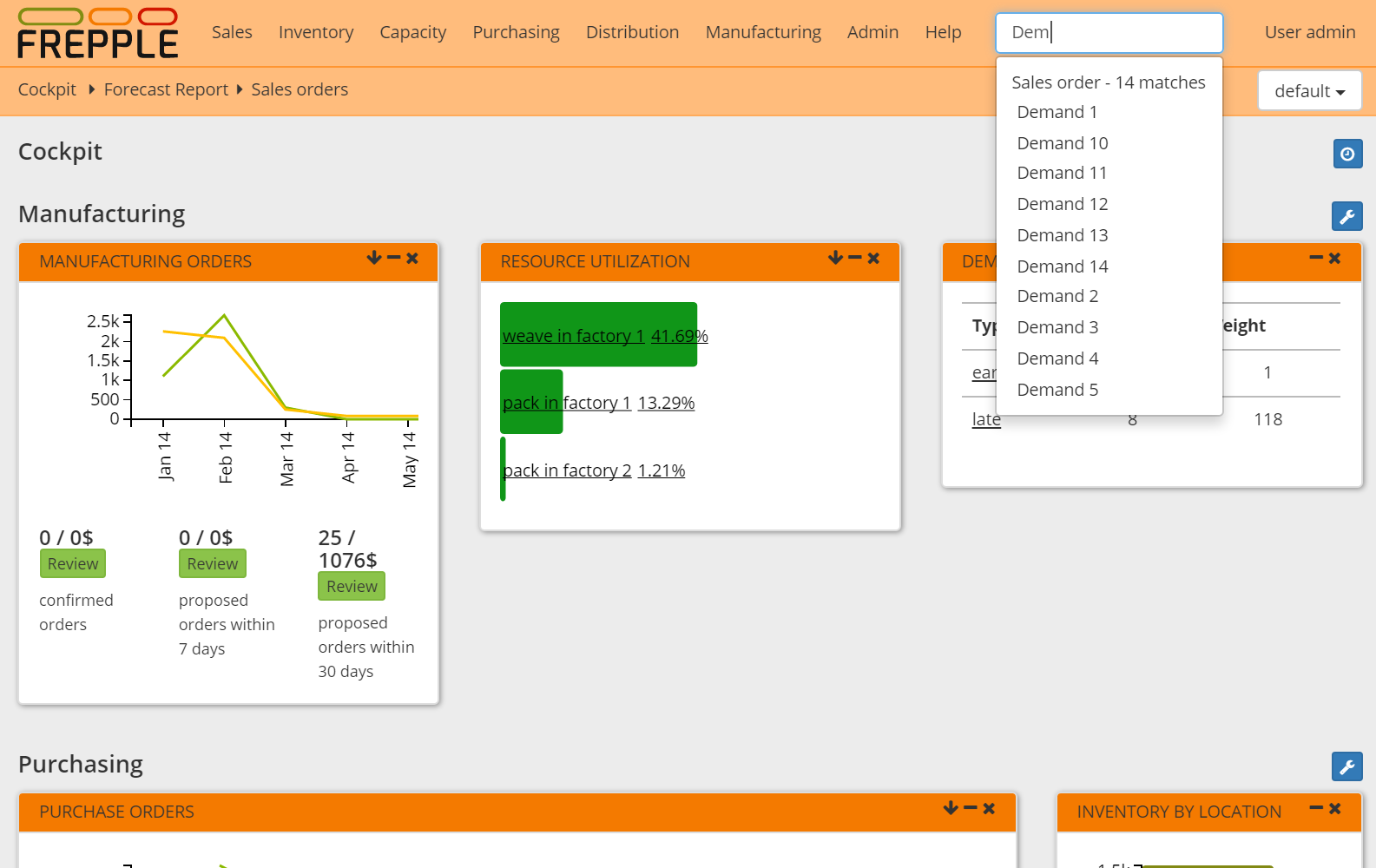
Navigation
Previous Next

© Copyright 2021, https://frepple.org. Revision e3414587.

Built with Sphinx using a theme provided by Read the Docs.